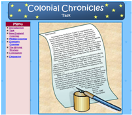
My brand new website about the colonial days can be found at: http://www.personal.psu.edu/cjm402/Index.htm. This site was made for fifth grade students and is set up similar to a webquest. Click here to see the lesson plan for this site.
Colonial Chronicles WebQuest
on Monday, July 9, 2007I learned a lot in the "Internet in the Classroom" graduate course this summer. I created an entire website from scratch, set up my Google Reader, learned how to use blogs and wikis in the classroom, and so much more. However, I would have liked to have compiled a collection of ready-made web resources for use with my curriculum. There are already a bunch of great lessons, web quests, and slam dunks on the web that would match well with the topics I teach, but I usually don't have time to search for them during the school year. It would have been great to have compiled a list of resources I could refer to during the busy seasons of the year.
I'm a Google Addict
on Wednesday, July 4, 2007
Over the past week, I've become addicted to Google. It started when I set up my Google Reader to keep up-to-date with various blogs. While I was doing that, I noticed that I could personalize my Google page, called iGoogle. Then I noticed that I could "add stuff" to my Google page, so I began exploring the gadgets. I found so many useful tools, that I considered having my students set up their own iGoogle page. In fact, Google has a page with suggestions for educators (http://www.google.com/educators/p_php.html). There are many valuable gadgets they could add to their page, but here are just a few:
1) Map-My-Word Thesaurus--This tool does more than just give a list of synonyms. Instead, it presents synonyms in the form of a concept map, grouping synonyms of similar connotations together. For years I've been trying to teach my students that even if two words are synonyms, they could have different connotations, but this tool just might be the key to helping my students really understand that concept. When a user rolls their mouse over the concept map, they learn the various meaning of different word clusters.
1) Map-My-Word Thesaurus--This tool does more than just give a list of synonyms. Instead, it presents synonyms in the form of a concept map, grouping synonyms of similar connotations together. For years I've been trying to teach my students that even if two words are synonyms, they could have different connotations, but this tool just might be the key to helping my students really understand that concept. When a user rolls their mouse over the concept map, they learn the various meaning of different word clusters.
2) Merriam Webster's Dictionary Search
3) Wikipedia Search--Adding the Merriam Webster Dictionary Search and the Wikipedia Search gadgets to student iGoogle pages will allow them to have two highly used tools in an easily accessible location.
4) American Heritage Picture of the Day--Every day this gadget displays a different image from American History. It also gives a one sentence summary of the picture. These pictures could spark discussions and further research.
5) Online Stopwatch--Sometimes our students need a little more focusing and motivation. The stopwatch is a great way to individually chunk online activities to keep students on-task and focused.
As with any technology, there are some concerns about using iGoogle with students. For example, some of the gadgets are guaranteed time-wasters (such as games) and some are not appropriate for students. Students will need to be taught responsible use of the program and understand that there are consequences for misusing it. Also, students need to supply an email account in order to create an iGoogle page. In my district, the students don't have school email accounts, although some have email at home. Lack of email addresses might limit use.
However, teachers can use Google's free Page Creator to create a webpage with all the helpful gadgets for their students. It's a WYSIWYG application, so I tried it out, and it was very simple and easy to create a webpage. I'm going to have my students set the page I created as their home page (http://mitton5student.googlepages.com/home), so every time they logon they go immediately to the site.
I’ve also started looking at Google Docs & Spreadsheets, which allow students to collaborate on documents over the internet. With Google Docs, students and teachers can decide who can access and edit documents. Additionally, teachers can check the revisions history to see how students have revised their work, how they contributed to the project, and how long each student worked on the document. Work is automatically saved, so students won’t accidentally lose their project. Once again, students need to create a Google or Gmail account to use Google Docs.
For most Google applications, you can find a crib sheet for teachers and students at http://www.google.com/educators/activities.html. Regardless of whether my students end up creating iGoogle pages, there are so many helpful tools that I like to use on my page, such as my Google Reader, news from CNN and eSchool, a To-Do List, and the weather forecast. Knowing the way technology develops, there will probably be four times as many gadgets and open source programs from which to choose by the end of the year, which will just increase my use of Google. I can't wait to see how it continues to improve!
"Am I Really Learning?" Part 2--The Need for Quality Integration
on Saturday, June 30, 2007This week, Kidcast (http://www.intelligenic.com/blog/?page_id=2) posted an interview with Bernie Dodge, creator of the WebQuest. During the podcast, Dr. Dodge stated, “When new technology comes along, we forget what we already know about teaching.” He went on to explain that we overlook the principles of best practice, and we sometimes coast along on the novelty of the technology without really using it in a meaningful way. This got me thinking about the ways technology is used in schools that don’t really help kids create, judge, analyze, and synthesize. To quote Dr. Dodge, “A lot of teachers go: ‘Oh boy, wikis!’ and then do stupid things with them.”
Any new technology can be misused. Take the example of Gizmoz, which I discussed in my last blog entry. That could easily just be used for simple fact regurgitation, but creative teachers could think of ways to use Gizmoz that would force the use of higher level thinking skills. Moreover, it’s easy to Podcast today, but we need to podcast with an educational purpose in mind. Kid-created podcasts should get our students thinking at higher levels, be constructivist in nature, and have practical applications.
Another reason why it’s extremely important that teachers use technology for strong pedagogical reasons is that administrators and legislators are watching. Technology is expensive and they want to see the benefits, or they’ll cut finding. They’re already complaining about the lack of student improvement on standardized testing. According to a study released by the U.S. Education Department, “educational software has no measurable impact on student achievement.” That could partly be due to the fact that much of educational software doesn’t really require higher level thinking. Handing a student a laptop preloaded with reading and writing won’t magically improve standardized test scores.
On the other hand, eMINTS (Missouri Instructional Networked Teaching Strategies) “provides schools and teachers with educational-technology tools, curriculum, and more than 200 hours of professional development to change how teachers teach and students learn. The achievement of students in the eMINTS-equipped classroom was repeatedly more than 10% higher than in classrooms without.” According to that study, educational technology can make a difference when properly used ("A Flawed Measure of Ed Tech," http://www.businessweek.com/technology/content/apr2007/tc20070410_846623.htm?chan=top+news_top+news+index_technology).
Bernie Dodge mentioned in the KidCast that if he created WebQuests just a few years later, he doesn’t think the idea would have caught on—the standardized testing world would have squashed the idea. (And he has a funny solution to the problem of standardized testing. Listen to the podcast it hear it.) How unfortunate that would have been! The good news? He thinks the age of high-stakes testing is on it’s way out and will soon be replaced with more problem-based learning.
Regardless of what the scores say, our use of technology can still teach 21-century skills and prepare our students to compete in a global environment. If used properly, it can teach critical thinking, collaboration, and analysis. Why is this important? Watch the YouTube clip below and you'll get a very clear understanding of the need for 21-century skills.
So, the next time I’m selecting which technology to use, and how to use it, I’m going to think long and hard about whether the kids really are learning.
Bernie Dodge gives one more piece of advice: “Schools are too much about talking about stuff… Ask yourself, ‘When does this actually get used in the adult world?’ WebQuests aren’t about teaching a standard directly; they're much better at teaching that standard in its place in the world.” We should strive to make sure all our uses of technology have that same goal.
(A side note: I've stumbled across several eMINTS resources over the past few years, and they really are very good. Check out their site at: http://www.emints.org/ethemes/.)
Am I Really Learning? Part 1 -- Gizmoz
on Tuesday, June 26, 2007Today's technology can let even the least computer-savvy user do amazing things! If teachers truly embrace technology and wisely integrate it into their instruction, it can make learning so fun that kids are left asking "Am I really learning?" They'll be so engaged in creating, collaborating, and communicating that they won't realize they're also learning math, science, language arts, social studies, and critical thinking skills.
Here's an example of how technology can "trick" our students into learning. I was reading Tony Vincent's blogs today (http://tonyvincent.net/ & http://www.learninginhand.com/blog/index.html). While reading his blogs, I found an entry about "Gizmoz," an online tool to create animations of you, historical figures, or cartoons. With a few clicks of the mouse, anybody can create a really simple, yet entertaining clip at http://www.gizmoz.com/. I must admit, it sounded interesting, but I wasn't so sure about the educational value until I watched his clip.
After watching that clip, the educational uses of Gizmoz began to swim around in my head. There is so much that could be done--advertisements, book reviews, historical newscasts, short introductory segments for lessons...the list could go on and on. Tony Vincent even suggests a very smart idea: "Create a character and use it as an avatar for Skype (using the plug-in Gizmoz provides). The student doing the talking must remain in character while the rest of the class asks questions." ("Gizmoz Animated Characters," 06/07/2007) I was still hesitant, though. Sure, Tony's clip inspired me to consider the ways I could use Gizmoz in school, but I was guessing it would be time consuming to create an animation. So, I decided to create a very simple clip to test the program. The clip below was created for my online summer reading club consisting of incoming 5th and 6th graders, as a motivation to get them to continue reading and researching.
As you can see, this clip has limited uses, but creating it allowed me to really evaluate Gizmoz, and I discovered some benefits and some concerns. First, I was pleased at how quickly clips can be created. Once I created an account with Gizmoz, it literally took me less than 5 minutes to create my animation--and most of that time was spent exploring the options they provide for backgrounds, voice, etc. My animation used a character created by Gizmoz for free public use, which helped make the process faster. I also created a "sticker" (which is like a video clip, but less background movement) from a photo of myself. It took more time to load everything, but it was fairly easy to do. Certainly kids could do it!
But that leads to my concerns:
1) Animations are saved to the public domain on Gizmoz, so anybody can view and use your animations. I don't want my kids uploading their photos and creating animations that can be viewed and seen by the entire world. If Gizmoz is used by students in the classroom, then students should be warned to only use Gizmoz-created characters or characters created from free-use pictures (i.e. photos of historical figures).
2) While you can create a Gizmoz from any photograph of people found on the internet, kids need to be taught how to determine the copyright regulations for each photograph. The language can be very technical, and elementary school students might struggle to decide if a particular image can legally be used in their animation. Providing clear, specific guidelines and a list of free use image sites for the students would limit copyright infringements.
3) While most of the add-ons for heads are in decent taste, some of the add-ons are not appropriate for elementary school (for example, one body type is a belly dancer). If Gizmoz is used in the classroom, a mutual understanding between what is appropriate and not appropriate to click must be established.
4) The speech (whether self-recorded or user-created text read by the computer) is limited to 20 seconds. However, this is really a teachable moment. Twenty seconds isn't long, so kids could be taught how to identify the most important, catchy information for their clip. Cutting out redundant, useless, or vague information is a skill any student could refine.
After really evaluating the site, I think there are ways teachers could effectively use Gizmoz in their classroom to make learning fun. It'll take setting expectations and rules with the students, but the benefits of safely using Gizmoz for educational projects are too numerous to overlook. Don't you think using it for valuable educational purposes could get the kids so engaged, that they are left asking "Am I really learning while having this much fun?"
Successful Searching on the Net
on Monday, June 25, 2007There are millions upon millions of resources on the internet, and kids will conduct searches that will result in 1.4 mediocre sites. As teachers, we need to teach kids to limit their search results, so they don't develop search engine frustration! At "Four Nets for Better Searching" (http://webquest.sdsu.edu/searching/fournets.htm), kids and educators can find four easy ways to improve their internet searching skills.
Blogs and the Classroom
on Monday, April 9, 2007Reflection logs and journals have been a part of the classroom for many, many years, but weblogs are a newer spin on the old idea. Instead of reflecting on learning in a notebook, kids can post their thoughts and reactions to a topic of study on their personal blog. The benefits? They know their peers and parents can read their work, so they are more motivated to do their best. They also enjoy posting comments about their classmates' blogs. The dangers? Kids might post too much information on their blog, putting them at risk. However, many programs (such as Moodle and eSchool Builder) have private blogs. In those situations, kids are safer because only class members can see their posts. Even so, teachers should provide the students with blog safety rules because many students will blog outside the classroom.
In my class, the kids blogged on eSchool Builder about their independent reading books. It was interesting to see how they improved their work once they saw how well some other students did. I never even needed to say anything about the quality to them; they self-reflected and worked harder all on their own!
Subscribe to:
Posts (Atom)